What is MB Loader and how to use it?
MB Loader only supports 64 bit (arm64-v8a) devices. You can check whether you have 64 bit device using this app
So, you probably already heard of Minecraft Patched being discontinued. Yes, it is for good. Because we now have a better alternative called MB Loader.
MB Loader is an Android app originally made by bambosan and further improved by mcbegamerxx954. It is free and available for download on Play Store.
What is it?
MB Loader uses Minecraft as a base, applies necessary changes on top of it and opens the game completely separate from the Minecraft app. This means data is kept separately from the Minecraft app (existing worlds, texture packs or anything else won’t show up on MB Loader).
How it’s different from patched app?
MB Loader is better than patched app in many ways.
- It can be updated from Play Store
- Just updating the Minecraft app works (usually)
- You can backup/restore Minecraft data
- Force game data location to Application or External
- F1, F2, F5, Q button overlay for easier gameplay
- Edit options.txt within app
- View screenshots taken in-game with the F2 button
- Directly launch from home screen using shortcuts
- Safe. As no third party sites are involved. (sorry youtubers with 100+ ad filled links)
- Many more! And it’s not exaggerated.
How to use it?
The Minecraft app has to meet some conditions:
- Not patched
- Not cloned
- Not heavily modded
- Is 64 bit (Play Store automatically gets the 64 bit version if your device is supported. Check this app to know)
- It usually doesn’t matter whether it’s from Play Store or from some other source, just make sure it’s 64 bit and not heavily modded
Otherwise it may cause MB Loader to crash.
- Read the requirements above
- Make sure you have Minecraft installed
- Download MB Loader from here
- Open MB Loader app
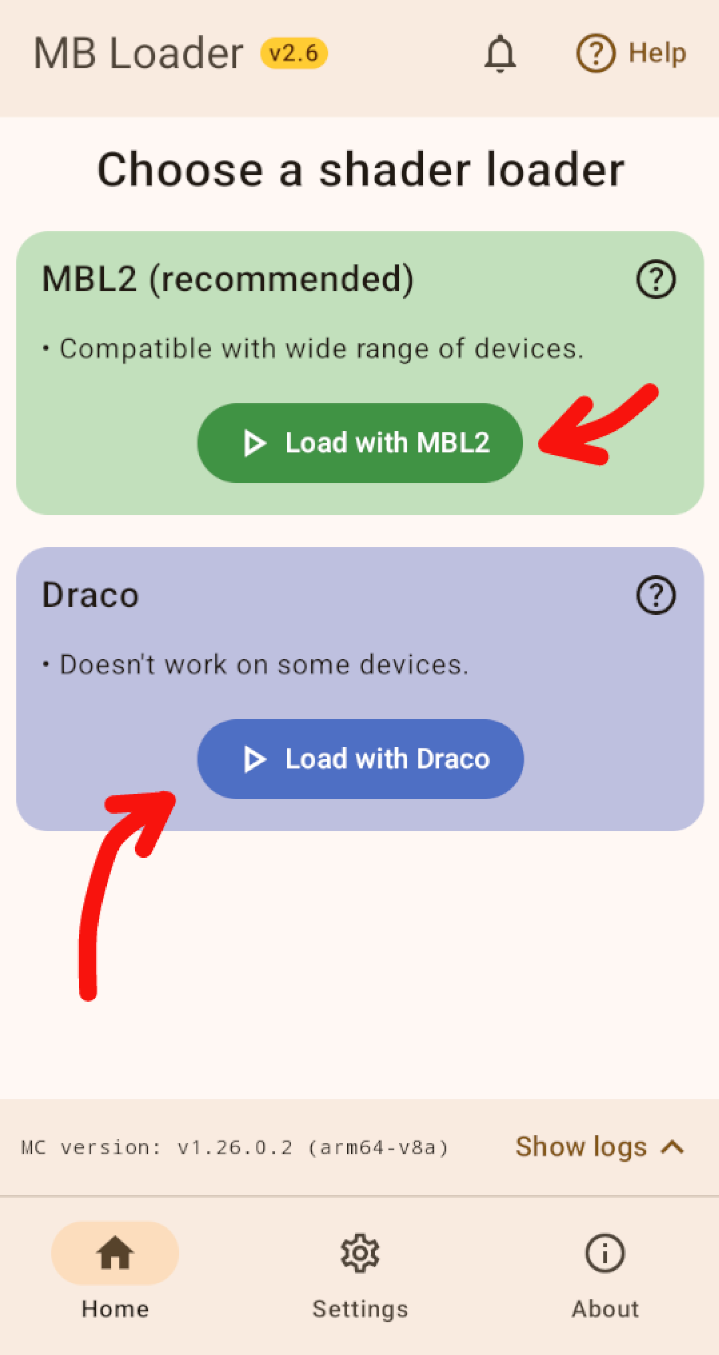
- Click Load with MBL2 (recommended) or Load with Draco
- Now import a shader, activate in Settings -> Global Resources.
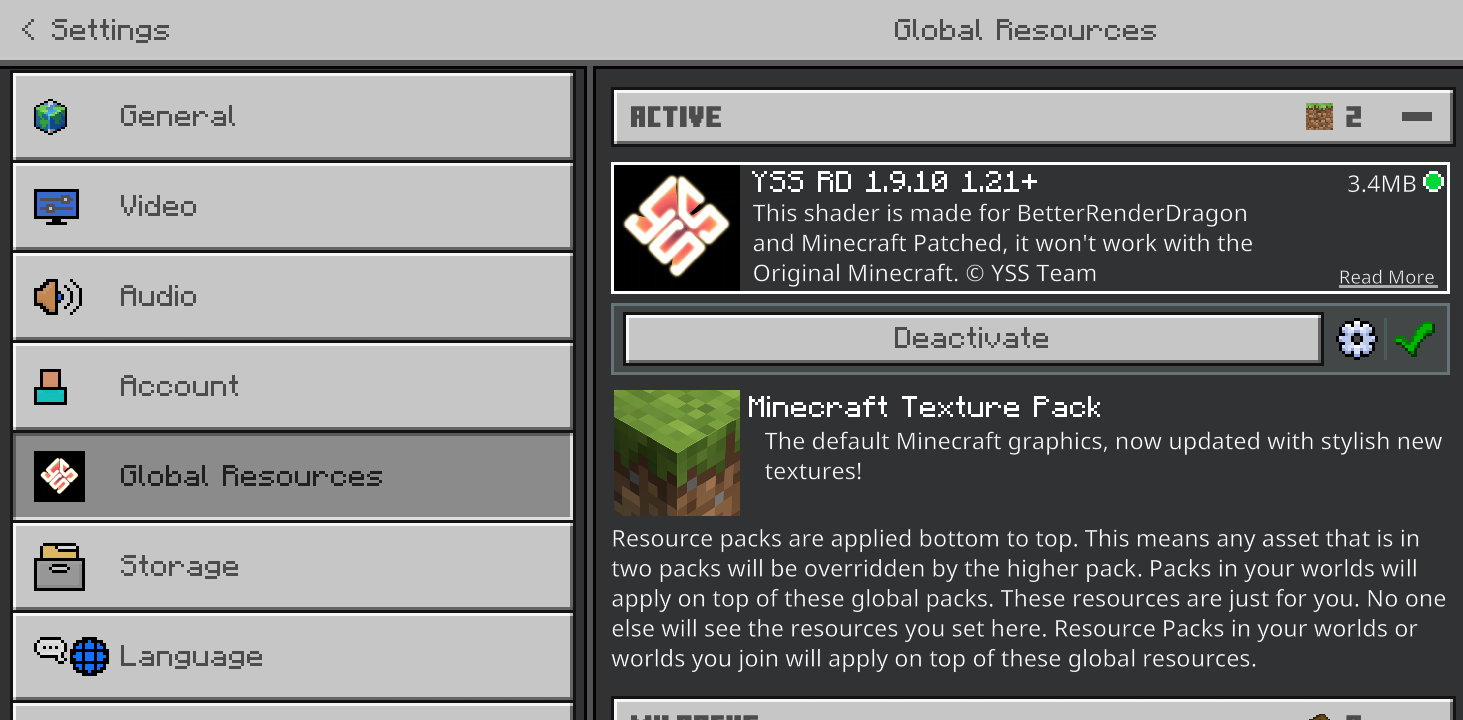
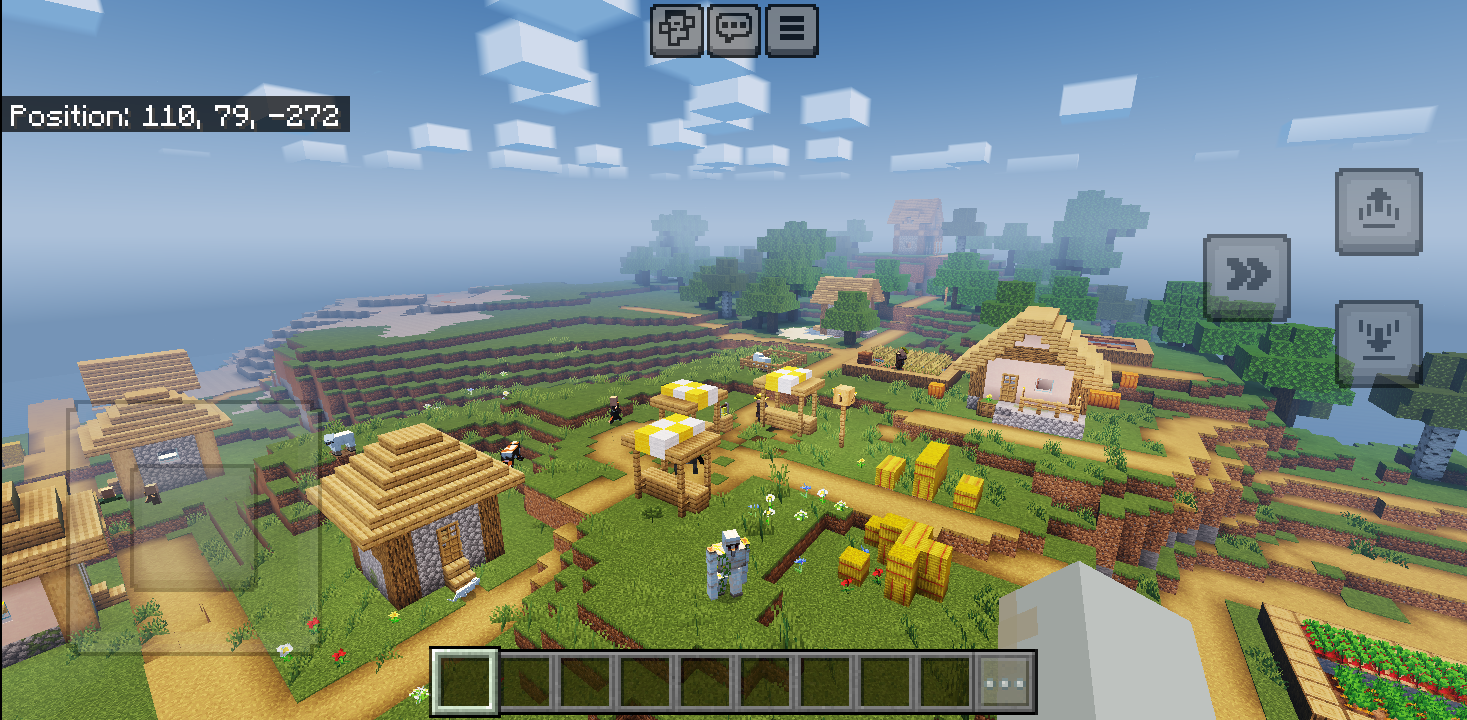 Enjoy! I used YSS Shader here which works up to v1.21.94. It can be downloaded from their Discord server
How to import shaders/texture packs/addons/worlds?
- Go to ‘Settings’ tab of MB Loader
- Click ‘Import addon’
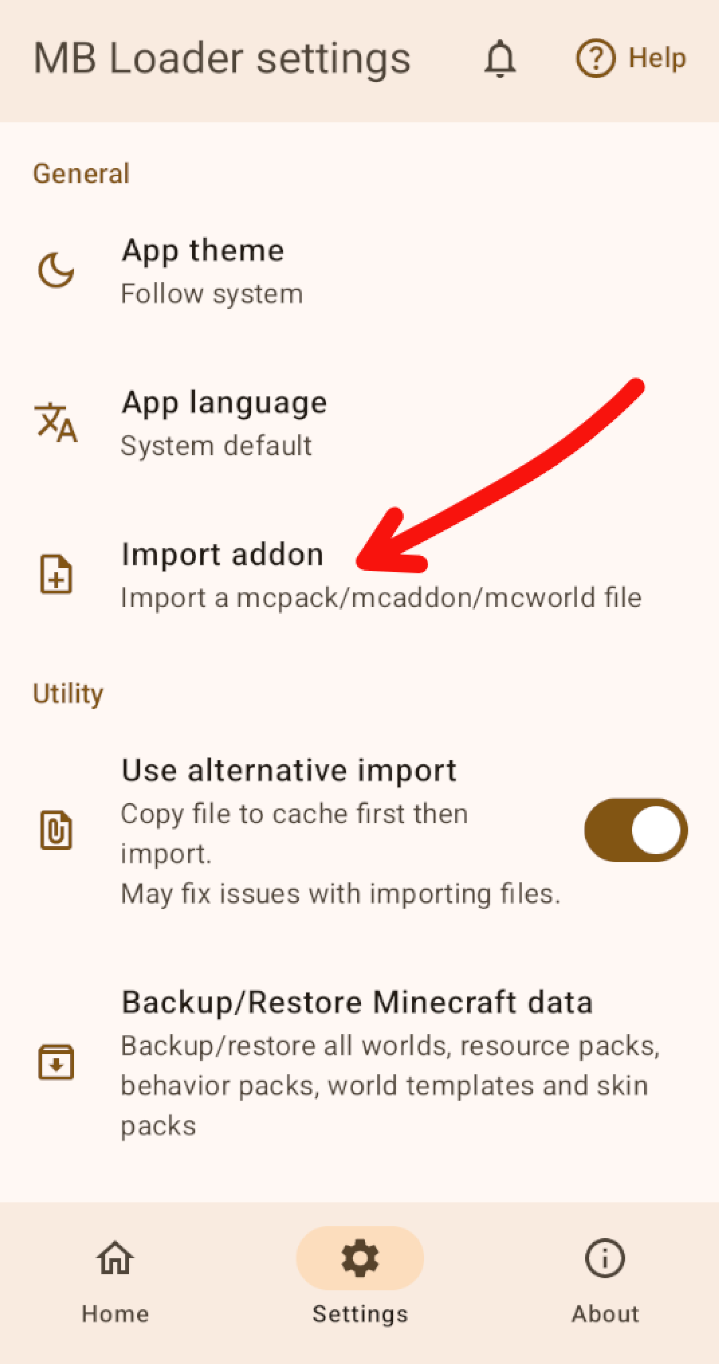
- Select the addon file (ends with
.mcpack/.mcaddon/.mcworld/.mctemplate)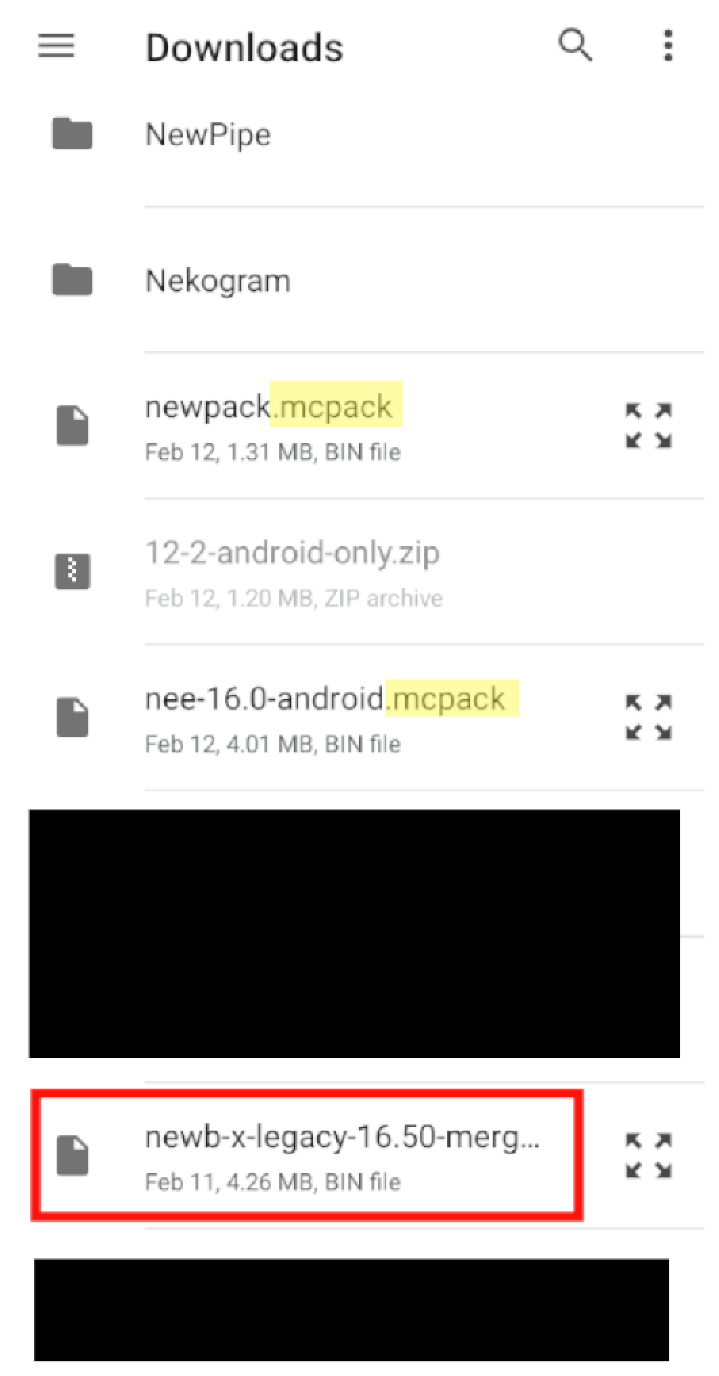
- When addon is selected, come back to ‘Home’ tab and start the game with any of the loaders. Addon import will start automatically in-game
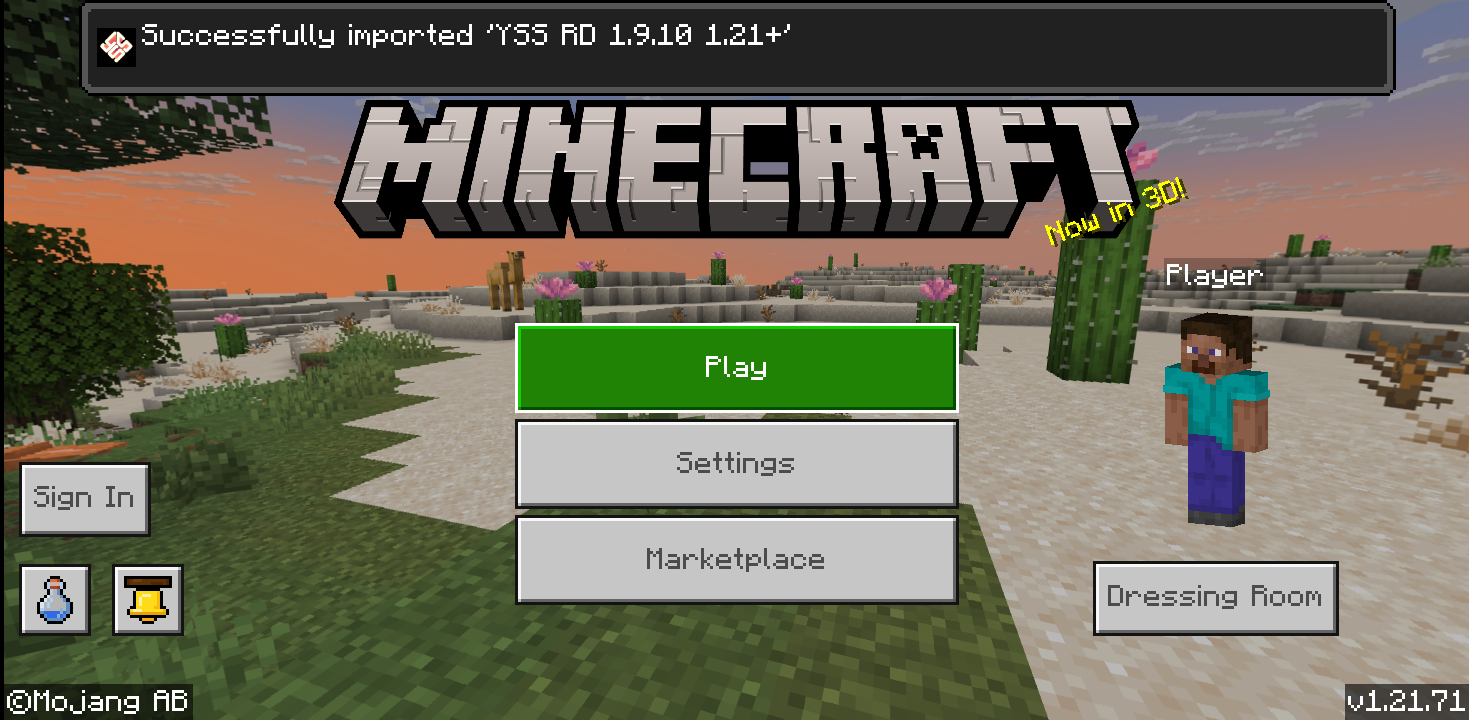
- Activate it in Game Settings -> Global resources if it’s a shader
Alternatively, you can also open the addon file from your browser/file manager and select MB Loader.
If the game is already running then it will switch to the game and import the addon.
Frequently asked questions
Q. Why patched app is discontinued?
A. It’s harder to maintain from a developer perspective. Which often causes delayed updates. On the other hand, both MB Loader and Minecraft can be updated easily.
Q. Is it safe?
A. Yes it is.
Q. Why does it say “This app is frequently uninstalled compared to others on Play”?
A. MB Loader was very unstable when it was released. Which caused many users to uninstall it right away because it doesn’t work.
Q. Why stuff from Minecraft is not shown in MB Loader?
A. Limitations. Android doesn’t allow one app to see/modify files from other apps. So, MB Loader is separate.
Q. What’s different between MBL2 and Draco?
A. Both do the same thing that is loading shaders. Details can be found by clicking the Question (?) icon next to the name in app.
Q. What does “not patched” means?
A. Opposite of patched. Minecraft that doesn’t load any shaders.
Q. What does “not cloned” means?
A. You don’t have to worry about this if you have bought the game already. Many piracy sites provides cloned apks which can be installed alongside Minecraft as a separate app.
MB Loader doesn’t support that.
Q. Why MB Loader is exiting/crashing?
A. It’s still in somewhat experimental state so it’s not guaranteed to be free from bugs.
You can help the developer to fix the issue by providing necessary details in #mbloader-chat channel of YSS Discord server
Q. Why it’s saying Minecraft is incompatible?
A. Please read requirements from the beginning again and the question above.
Q. Why I can’t see app rating on Play Store?
A. Apps that are in experimental state (early access) don’t show ratings.